Windows 10 & 11 (64-bit) Supported

Build Professional MSI Installers in Minutes

Create MSI, MSIX, and EXE packages with an intuitive visual interface. No coding required. Built on .NET 8.0 and WiX Toolset 4.x.

4
Project Types
6
Pro Themes
~50KB
Lightweight Stub
MSI Installer Studio - visual MSI builder running on Windows 11
Windows 11 Fully Compatible
AES-256 Code Signing

Built on proven technology

.NET 8.0 WiX Toolset 4.x WPF AES-256

Everything You Need to Build
Professional MSI Installers

Powerful features designed to make MSI installer creation simple and efficient for developers of all skill levels.

Visual GUI Editor

5-tab workspace with drag-and-drop file selection, live preview, and real-time theme customization. No WiX XML knowledge needed.

4 Project Types

Standard MSI, Lightweight (~50KB stub), Advanced Burn Bundles with prerequisites, and Wrapper MSI for repackaging.

Advanced Security

AES-256 encryption, assembly obfuscation (ConfuserEx), anti-tampering, anti-debug, code signing, and payload protection.

6 Professional Themes

Classic, Modern (Win 11), Dark, Compact, Material Design, and Aero themes with live preview and customization.

Enterprise Ready

Silent/minimal/standard UI modes for SCCM and Intune. Custom actions, registry integration, and prerequisite bundling.

Wrapper Repackaging

Embed existing EXE/MSI installers in MSI shell for enterprise deployment. Apply MST transforms and silent arguments.

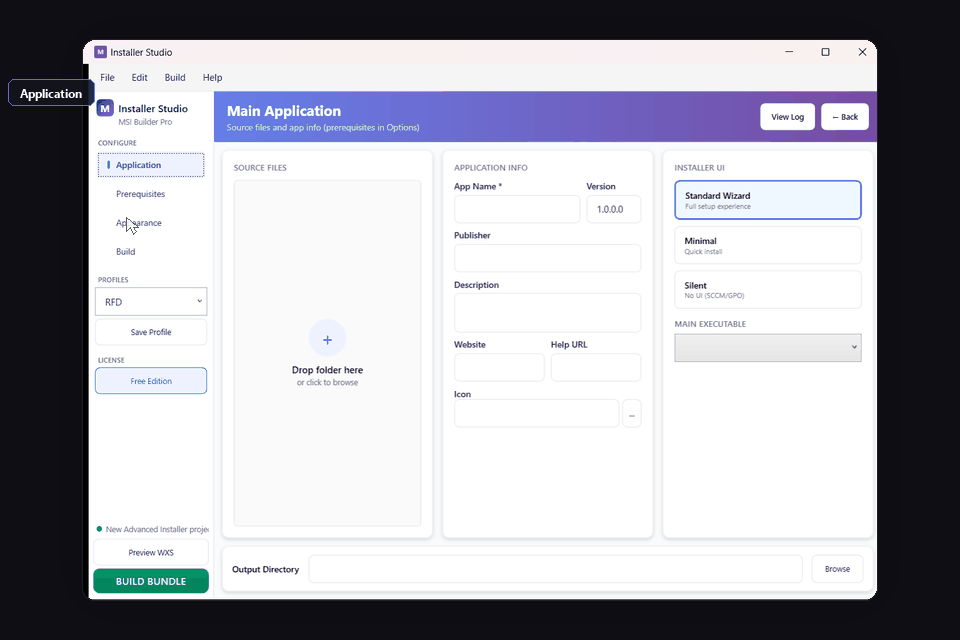
MSI Installer Application tab - configure product name, version, manufacturer, and output path

WiX 4.x power.
Without the XML.

The WiX Toolset is the industry standard for MSI authoring — and notoriously hostile. MSI Installer puts a 5-tab GUI on top of WiX 4.x so you can ship signed packages without touching Wix.xml.

  • Skip the WiX learning curve

    Visual editor compiles to native WiX 4.x — no <Component Guid="*"/>, no heat.exe harvesting, no MSBuild targets to debug.

  • Sign in the same window

    Authenticode signing with signtool.exe, EV/HSM certs, and timestamping — configured once, run on every build. No post-build scripts.

  • ~50 KB stub for big payloads

    Lightweight project type ships a tiny stub that fetches your archive at install time — SHA-256 verified, AES-256 optional. Useful for 500 MB+ apps on slow CDNs.

  • Headless from day one

    Every project saved in the GUI builds from CI with misi build project.misproj. Drop it into GitHub Actions, Azure DevOps, or Jenkins — same artifact you produce locally.

Free vs Pro

Choose the right edition for your needs.

Free Edition

  • Visual MSI builder
  • File & folder management
  • Basic registry entries
  • Shortcut creation
  • Standard themes
  • MSI & EXE output
Download Free

Pro Edition

  • Everything in Free, plus:
  • Code signing integration
  • Custom actions (C#, VBS, PowerShell)
  • All 6 Pro themes
  • CI/CD command-line builds
  • Prerequisites & patch creation
View Pro Pricing

MSI Installer Pro Pricing

Choose your plan. Download the free version to get started, or unlock all Pro features.

3-Day Trial

Try all Pro features

$ 9.99
  • Full Pro access
  • All features unlocked
  • 3 days duration
Try Now

Monthly

Pay as you go

$ 49.99 /mo
  • All Pro features
  • Code signing
  • Priority support
Get Monthly

Annual

Save 67%

$ 199.99 /yr
  • All Pro features
  • Maximum savings
  • Priority support
Get Annual

MSI Installer in Action

A 5-tab workspace takes you from project metadata to a signed MSI in minutes.

01
Application tab - product name, version, manufacturer, output path

Define the package

Upgrade codes and ProductVersion are the two fields most MSI authors get wrong. The form enforces GUID format, semantic versioning, and ARP entry consistency — so your patch upgrades actually upgrade.
02
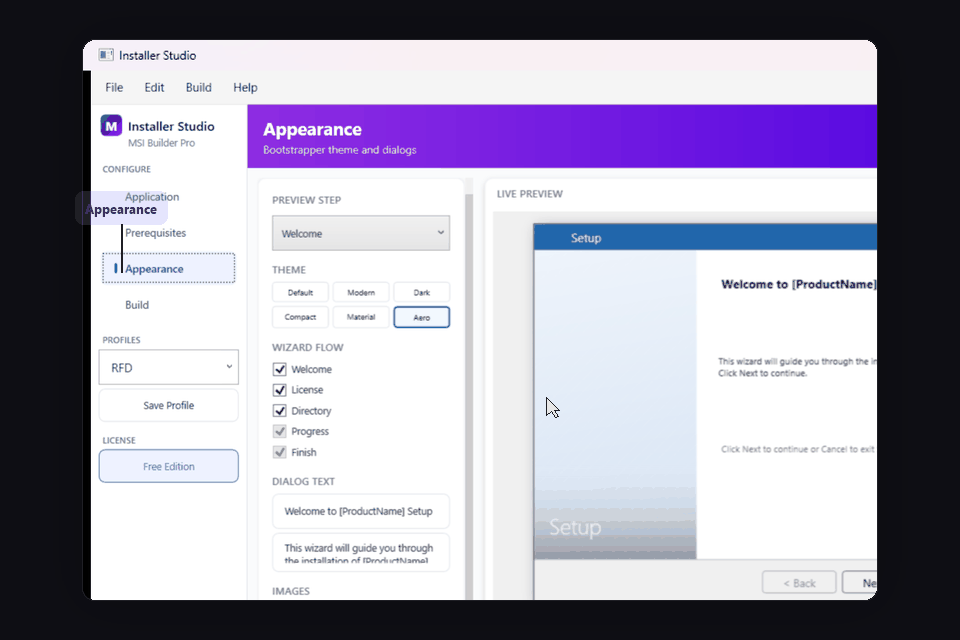
Appearance tab - choose from 6 themes including Modern, Dark, Material

Skin the wizard

Six themes ship as Burn-bundle BootstrapperApplication overrides. Drop in your banner, EULA, and brand colors — or stay on the Modern (Win 11) default that matches the OS install dialog.

03
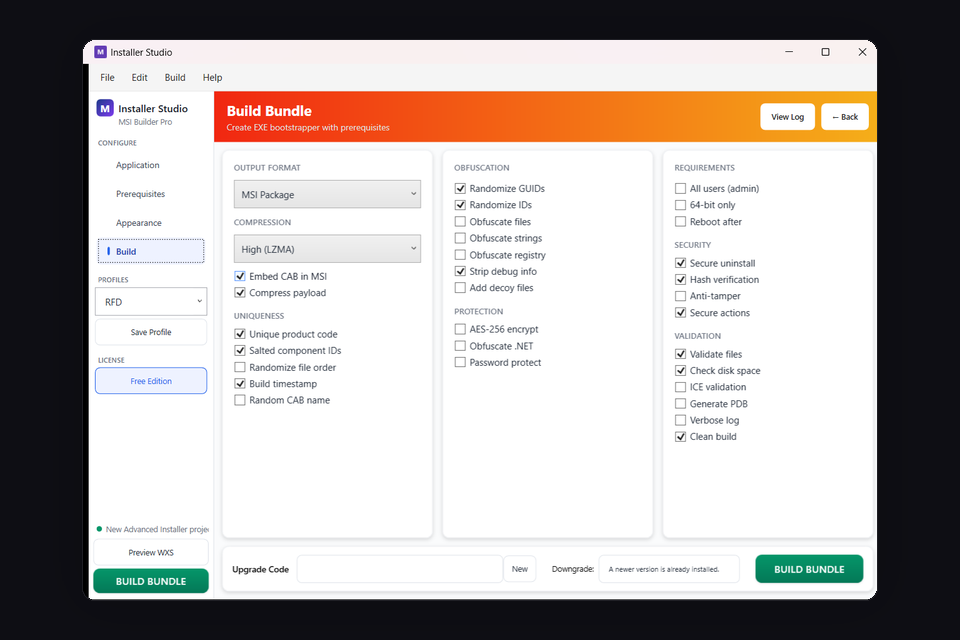
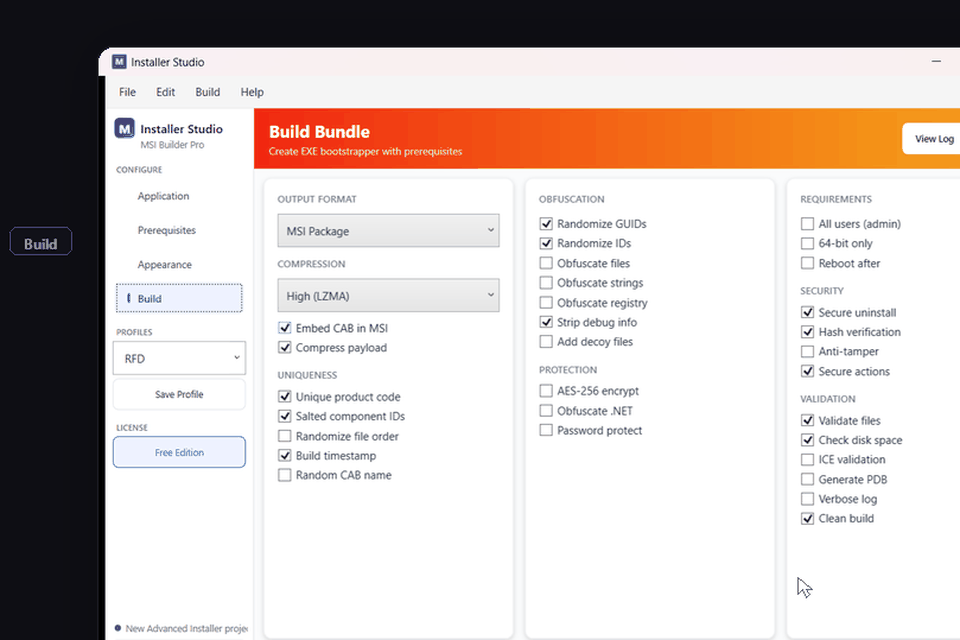
Build tab - compile MSI, MSIX, EXE with code signing and obfuscation

Sign & ship

One click runs WiX 4.x compile, ICE validation, signtool with timestamp, and ConfuserEx obfuscation on managed custom actions. Output: a single signed MSI ready for SCCM, Intune, or direct download.

Frequently Asked Questions

What does MSI Installer actually generate — native MSI or a wrapper?

Native. We compile through WiX Toolset 4.x to produce real Windows Installer databases (.msi) with proper component GUIDs, feature trees, and ICE-validated tables. EXE output is a Burn bundle (WixToolset.Bal); MSIX output uses makeappx. No proprietary runtime, no setup.exe wrapper around someone else's installer.

How is this different from Advanced Installer or InstallShield?

Three things. (1) Output is plain WiX-compiled MSI, so you can fork to raw WiX any time without rewriting. (2) The Lightweight project type ships a ~50 KB stub that fetches payload at install — useful for apps over 500 MB. (3) Pricing: $49/mo or $199/yr instead of $499–$1,899/yr seat licenses.

Can I run it from CI without the GUI?

Yes. Every project is saved as a .misproj XML file. The CLI is misi build path/to/project.misproj --config Release. Exit codes follow MSBuild conventions (0 / 1 / -1). Ships as a standalone Win x64 binary — no .NET install on the runner required.

What about MSIX? Should I just use that instead?

If you target consumer Windows 11 with no admin install, no kernel drivers, no services, and no out-of-package files: yes, use MSIX. If you ship to enterprises that deploy via SCCM/Intune, install services, write to HKLM, or have to run on Windows 10 LTSC — MSI is still the answer. The Build tab outputs both from the same project.

What does the Free edition leave out?

Free covers Standard MSI projects with files, registry, shortcuts, and the two stock themes. Pro adds: code signing, custom actions in C#/VBS/PowerShell, all 6 themes, MSIX/EXE output, prerequisites & patch creation, and the headless CLI. Full comparison →

Will it sign with our HSM / Azure Key Vault cert?

Yes — the signing step shells out to signtool.exe, so anything signtool can talk to works. EV certs on YubiHSM, AKV via AzureSignTool, smart cards, and standard PFX files are all supported. Timestamp URLs are configurable per profile.

Ready to Build Better MSI Installers?

Download the free version or get Pro to unlock all features. Available on JRBUDDY.

MSI Installer vs the field

Honest comparison based on public docs and our own daily use. Last updated .

  MSI Installer WiX Toolset 4.x Advanced Installer InstallShield
Visual editor Yes XML only Yes Yes
Output formats MSI / MSIX / EXE MSI / EXE (Burn) MSI / MSIX / EXE MSI / MSIX / EXE / Suite
Underlying engine WiX 4.x WiX 4.x Proprietary Proprietary (InstallScript)
Lightweight stub (~50 KB) Yes No No No
Code signing in GUI Yes Manual signtool Yes Yes
Wrapper / repackaging Yes Manual Yes Yes
Headless CLI build Yes Yes (MSBuild) Yes (Pro) Yes
Localized UI languages 14 Manual 30+ 35+
Open file format XML .misproj XML .wxs Binary .aip Binary .ism
Starting price Free · Pro $49/mo or $199/yr Free (open source) $499–$2,499/yr $1,899–$6,549/yr

Prices and feature claims for competing products are sourced from their public pricing pages. We’re happy to be corrected — email us if anything is out of date.